This test offers 50 structured, practice-oriented e-learning sessions on the ERA digital learning platform, focusing on finger positioning, ergonomics, speed-building and accuracy using the Government-Approved Remington keyboard layout.
Test Duration: 50 Hours (per day 1 session) Test can be completed in 2/3 months.
Test Objectives:
- To develop computer typing proficiency at 30 or 40 words per minute.
- To learn correct finger positioning, posture, and ergonomic typing techniques.
- To master the use of the Remington keyboard layout (government standard).
- To achieve typing proficiency essential for employability.
- To type effectively in English, Marathi, and Hindi.
Session-wise Overview:
- Introduction to typing history, keyboard types, and layouts.
- Practice sessions on Marathi/Hindi characters using Remington Keyboard.
- Home Row, Top Row, Bottom Row, and Number Row exercises.
- Speed-building and error-reduction techniques.
- Mock tests and simulation tests designed like government exams.
- The CCTP e-learning content will be available in the ERA system from November 2025 onwards.
Learning Mode:
- Learners admitted in @ALC Mode for MS-CIT must complete CCTP in the same mode.
- Learners admitted in Online Mode for MS-CIT must complete CCTP in Online Mode as well.
Syllabus
Click here for Day wise Breakup of CCTP Syllabus
 History of Typing
- Understand history of typing for professional use
 Importance of Touch Typing
- How typing is better than writing for professional use
Overview of keyboard layouts
- (QWERTY, Remington, Godrej, InScript, etc.)
- English: QWERTY (Standard Layout)
- Devanagari (Remington Devanagri Typewriter Layout):
- Introduction to Phonetic Regional Using Inscript Technology (Tamil, Bengali, etc.)
Keyboard Types
- Mechanical, Membrane, QWERTY Layout, Alternative AZERTY, Ergonomic & Specialty Keyboards like Split Keyboard, touchscreen and gaming
- Detailed Overview of Remington (Using ISM and Remington Gail Devnagari)
 Introduction to Typical QWERTY Keyboard (English)
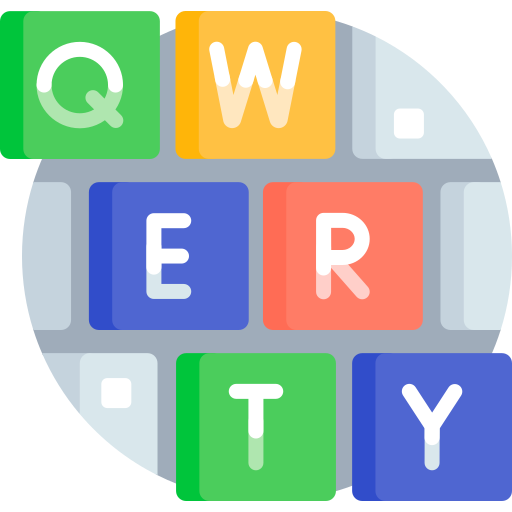
- Alphanumeric Keys – letters (A-Z), numbers (0-9), and symbols (e.g., !, @, #). Used for typing text, numbers, and special characters.
- Modifier Keys – Shift, Ctrl (Control), Alt (Alternate), and Win (Windows)/Cmd (Command) and Keyboard Shortcuts, Function Keys (F1-F12) –
- Marathi Keys on Remington Keyboard
- Navigation & Editing Keys – Arrow Keys, Home, End, Page Up/Down, Delete, and Backspace
- Special-Purpose Keys – Enter, Esc (Escape), Tab, Caps Lock, Num Lock, Print Screen, and Spacebar, Combination Keys + Summary
 Keyboard Familiarization with Marathi Letters keyboard
- होम रोवरची अक्षरे : होम रोमध्ये अनुस्वार, मात्रा, क, पहिली वेलांटी, ह, दुसरी वेलांटी, र, काना, स, य आणि श ही अक्षरे आहेत
- टॉप रोवरची अक्षरे : टॉप रोमध्ये पहिला उकार, दुसरा उकार, म, त, ज, ल, न, प, व, च, ख, स्वल्पविराम आणि पूर्णविराम आहेत
- बॉटम रोवरची अक्षरे : बॉटम रोमध्ये रकार, ग, ब, अ, पहिला इ, द, उ, ए, ण आणि घ
- नंबर रोवरचे अंक आणि अक्षरे : नंबर रोमध्ये पाय मोडण्यासाठीचे किंवा अक्षर जोडण्यासाठीचे बटण, १,२,३,४,५,६,७,८,९,० हे मराठी अंक, ञ आणि रुकार आणि शिफ्ट की - द्य, उभा दांडा, स्लॅश, कोलन, बरोबरची खूण, डॅश, दुहेरी अवतरण, एकेरी अवतरण, द्ध, त्र, ऋ, पूर्णविराम आणि पाय मोडण्यासाठीचे कॅरेक्टर
- Finger positioning and movement
- Understanding key zones (upper/lower rows, numbers, symbols)
- Home row keys
- Finger placement on home row - अनुस्वार, मात्रा, क, पहिली वेलांटी, ह, दुसरी वेलांटी, र, काना, स, य आणि श
 Basic Typing Drills
- Mixed home row letters
- Simple 2-3 letter words
- Home row reinforcement
- Introducing the spacebar & shift key
- Finger placement on top row पहिला उकार, दुसरा उकार, म, त, ज, ल, न, प, व, च, ख, स्वल्पविराम आणि पूर्णविराम आहेत
Finger positioning and movement
- Single-letter exercises - home row
- Single-letter exercises - top row
- Single-letter exercises - bottom row
- Single-letter exercises – number row
- Finger placement on bottom row - रकार, ग, ब, अ, पहिला इ, द, उ, ए, ण आणि घ
- Typing Practice using Numbers and Special characters above top row
- Simple word typing (using learned keys)
- Repetition drills for muscle memory
Basic Typing Drills with Marathi
- Typing using with Home row
- Left Hand and Right Hand and fingers positioning
- Single Key Repetition
- Two-Key Combinations
- Simple Words
- Typing using with Top row
- Two-Key Combinations
- Typing using with Bottom row
- Matras
- Symbols
- Typing using Number Keys - पाय मोडण्यासाठीचे किंवा अक्षर जोडण्यासाठीचे बटण, १,२,३,४,५,६,७,८,९,० हे मराठी अंक, ञ आणि रुकार आणि शिफ्ट की - द्य, उभा दांडा, स्लॅश, कोलन, बरोबरची खूण, डॅश, दुहेरी अवतरण, एकेरी अवतरण, द्ध, त्र, ऋ, पूर्णविराम आणि पाय मोडण्यासाठीचे कॅरेक्टर
Combined Exercises for all 4 rows of keys
- Various exercises for all 4 rows of keys
Speed increasing and Error reduction techniques
- Speed increasing and Error reduction techniques
Following Keyboard layout (Remington) used for the test
- Following Keyboard layout (Remington) used for the test